No registration
No user account, login or personal profile information is required.

Travel tools · Android · Web · iPhone
Travel together. Split costs fairly.
Plan trips, record experiences and share expenses clearly. A motorcycle in the logo - for everyone travelling together.
Android users install the official app securely from Google Play. The web version is available for iPhone, iPad and browsers.
From planning a trip to settling shared costs: keep your journey and travel budget in view.
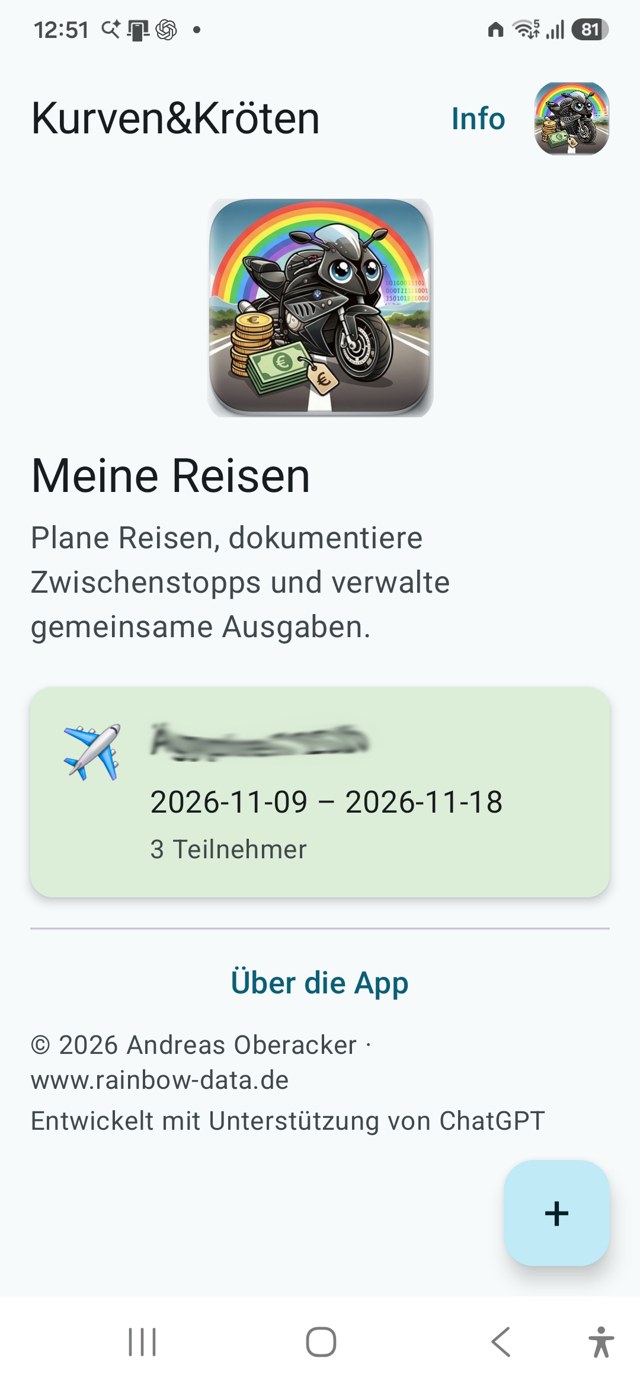
See travel dates and participants, then open the trip you need.
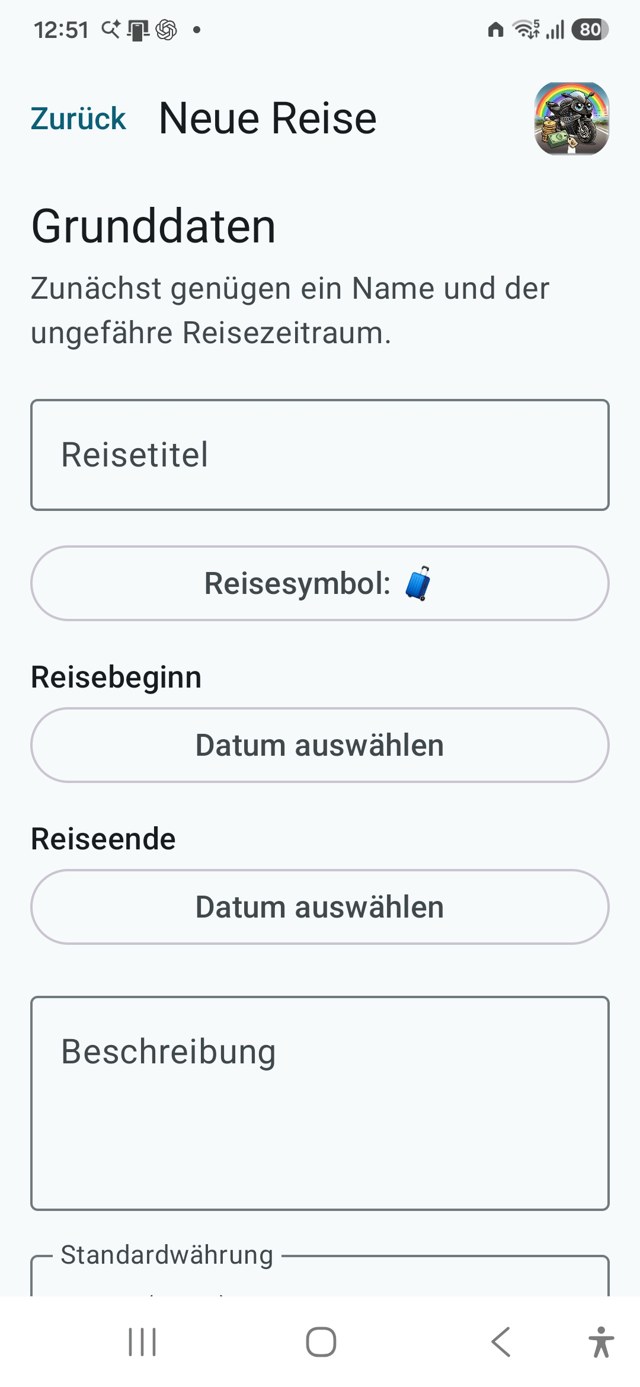
Set the title, dates, description and default currency for a trip.
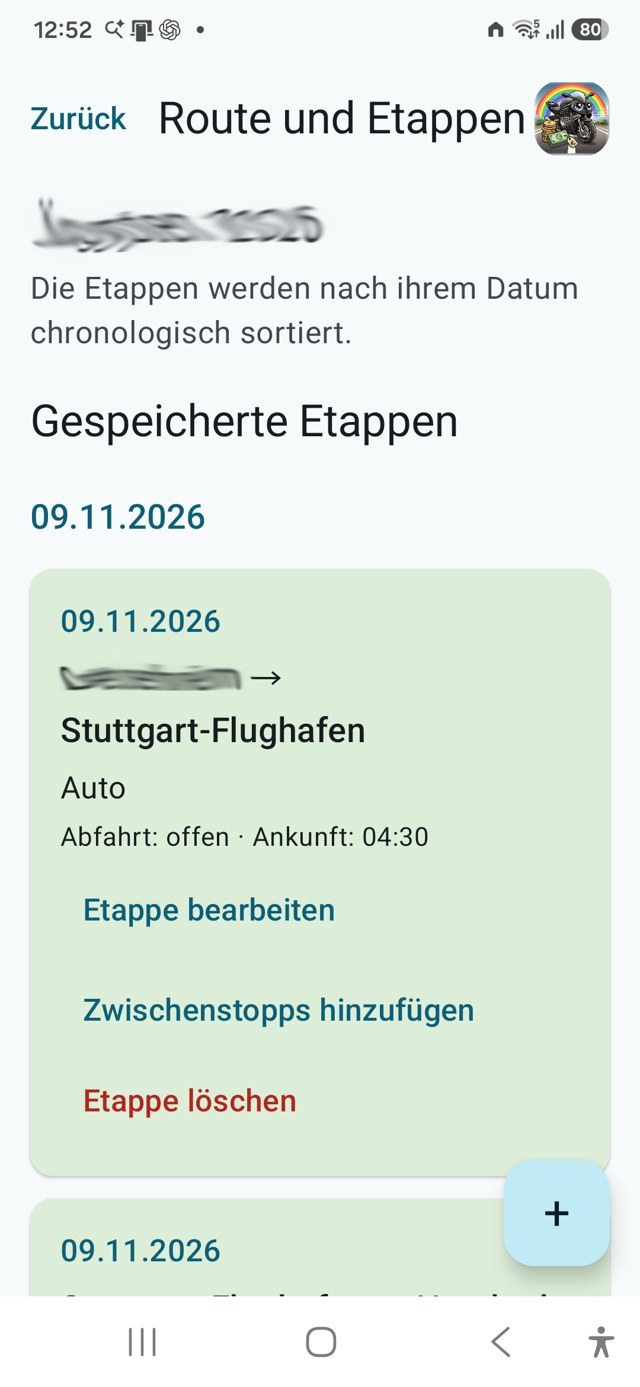
Record stages and stops with dates, transport and times.
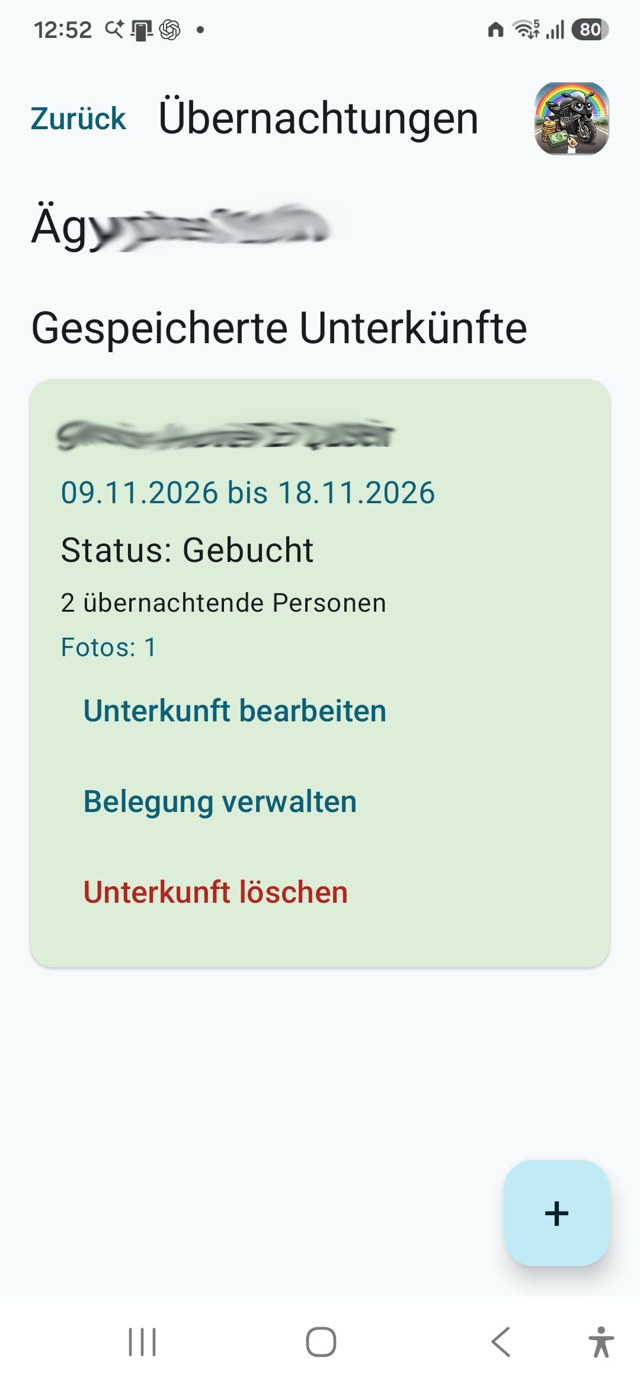
Manage accommodation, booking status, dates and occupancy.
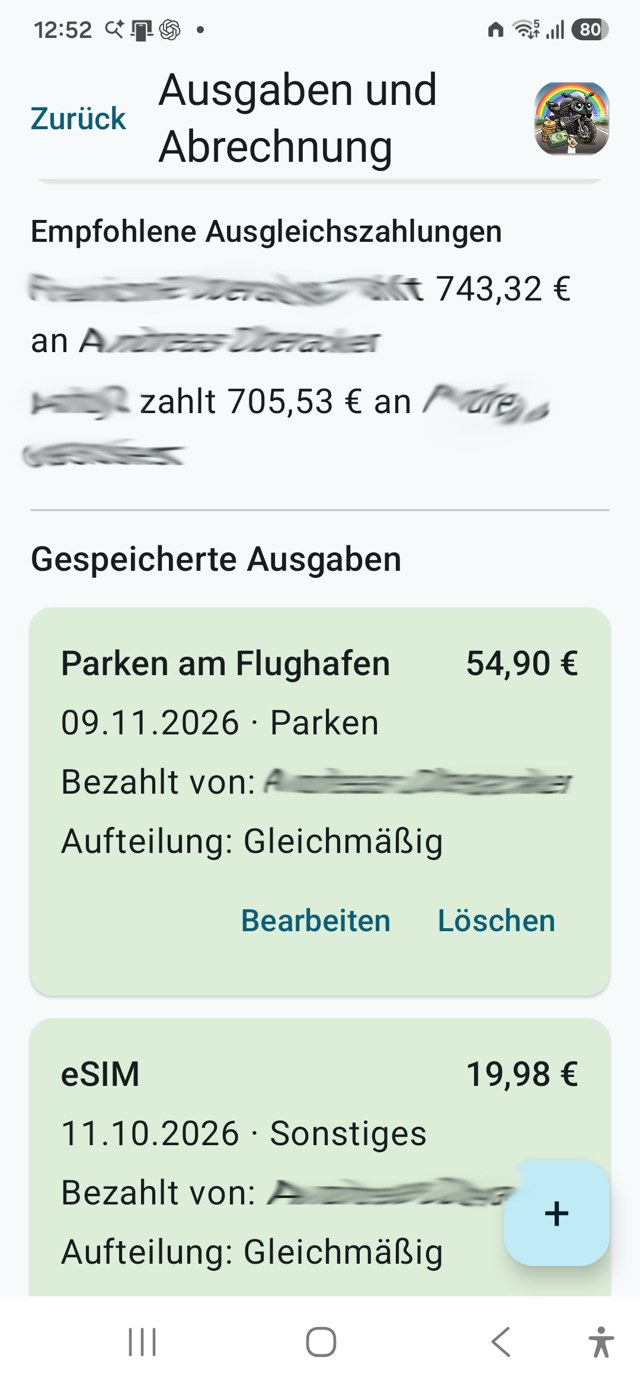
Record amounts, who paid and how each expense is shared.
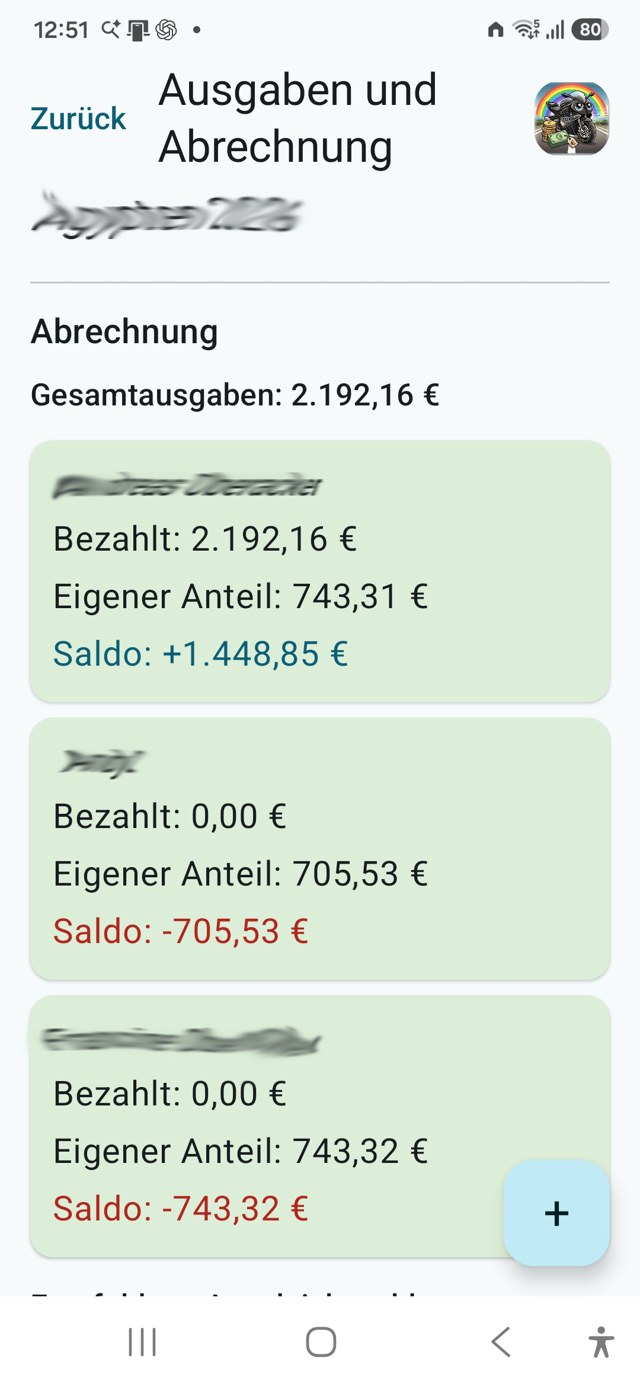
Review personal shares, balances and suggested settlement payments.
Screenshots show the German Android version with example records and obscured names. Appearance and available features may differ in the web version. Select an image to enlarge it.
Privacy by principle
Curves&Cash is deliberately data-minimising. It requires no registration, user account or central cloud storage. Your trips, participants, expenses and receipts remain locally on your device.
The trip-management features do not transmit trip data to rainbow-data. External services opened voluntarily, such as Google Play or Wero, are governed by their own privacy policies.
No user account, login or personal profile information is required.
Trips, settlements and receipts are stored only on the device you use.
No advertising networks, analytics profiles or hidden usage monitoring.
Backup files are created only when requested and saved to a location you choose.
A conscious choice
Many apps store all information on central servers and require a user account. Curves&Cash deliberately takes a different approach: your trips, fellow travellers, expenses, receipts and settlements remain on your device.
The app works without an internet connection – on the road, abroad or where mobile coverage is poor.
Data that is not stored on a central server cannot be exposed there by an attack or compromised account.
No login, no synchronisation conflicts and no dependence on a permanently available online service.
Invitations and backup files are shared only when you explicitly choose to do so.
Changes are not synchronised automatically between devices. When changing devices or moving between the Android and web versions, you transfer your data using backup and restore.
Not using a cloud is not a missing feature. It is a deliberate choice in favour of data minimisation, independence and a lean app.
What it does
The app deliberately focuses on the essentials: create a trip, add participants, record stops and accommodation, assign expenses and produce a clear settlement.
Keep trip details, participants, route, stops and accommodation together.
Assign payments to the right people and account for different cost shares.
Review the results and share the trip summary as a PDF.
The interface is available in German, English and French.
Two ways to use the app
On Android, Curves&Cash is installed from Google Play and receives automatic updates.
On iPhone and iPad, the web version can be added to the Home Screen from Safari and used like an app.
Install the official Android app directly from the Google Play Store.
Open the web version in Safari and optionally add it to your Home Screen.
Trips are stored locally on your device. Create a backup before changing devices or app versions.
You can continue to send bugs, ideas and suggestions through the feedback form.
Everything at hand
Official Android app on Google Play
For iPhone, iPad and browsers · installable · works offline
Deutsch · PDF
English · PDF
Français · PDF
For iPhone and iPad
The web version works like a small app on iPhone. It is not downloaded from the App Store; instead, you add it to the Home Screen using Safari.
Open mobileapps.rainbow-data.de/kurven-kroeten-web/ directly in Safari. If the link first opens inside WhatsApp or another in-app browser, choose “Open in Safari”.
Allow the start page to load completely while connected to the internet. This lets the files needed for later offline use be stored.
In Safari, tap the Share button – the square with the upward arrow. Depending on your Safari layout, it may be at the bottom or inside the menu.
Scroll down and tap “Add to Home Screen”. If shown, leave “Open as Web App” enabled. Then tap “Add”.
A Curves&Cash icon now appears on the Home Screen. From now on, start the web version using this icon, just like a regular app.
Open the web app online once. You can then enable Airplane Mode and launch it again from the icon to test offline use.
Offline use: After the first complete online visit, the core functions are available without an internet connection. A connection will be needed again when the web app is updated.
Important information about your data: Trips and settlements remain stored locally on this iPhone and are not automatically synchronised with other devices. Clearing website data may also remove stored trip data, so export or back up anything important.
Important note for previous beta testers
The former directly installed APK and the Play Store app use different signatures. The beta must therefore be uninstalled before installing from Google Play. Back up your trips first.
Uninstalling the beta deletes its locally stored trips. Continue only after the backup file has been saved successfully outside the app.
In the beta, open “Info → Backup → Create backup” and save the backup file outside the app.
Uninstall the directly installed APK only after the backup has been created successfully.
Install Curves&Cash from Google Play. Future updates will then arrive automatically through the store.
In the new app, open “Info → Backup” and restore the backup you saved.
If you did not save any trips in the beta, you can uninstall it and install the Play Store app directly.
Found it? Thought of it? Missing it?
Tell us in your own words what you noticed. One sentence is enough; technical details are optional.
Ideas and usability suggestions are welcome too.